
How to Improve Team Collaboration Using Proven Jira Strategies

Improving team collaboration isn't a theoretical exercise; it's a direct investment in your bottom line. To get there, you need to define clear processes, automate manual handoffs, and use a single source of truth like Jira to connect every stage of your workflow. This guide provides actionable steps to move your teams from chaotic communication to predictable, high-quality output.
The Hidden Costs of Disconnected Teams
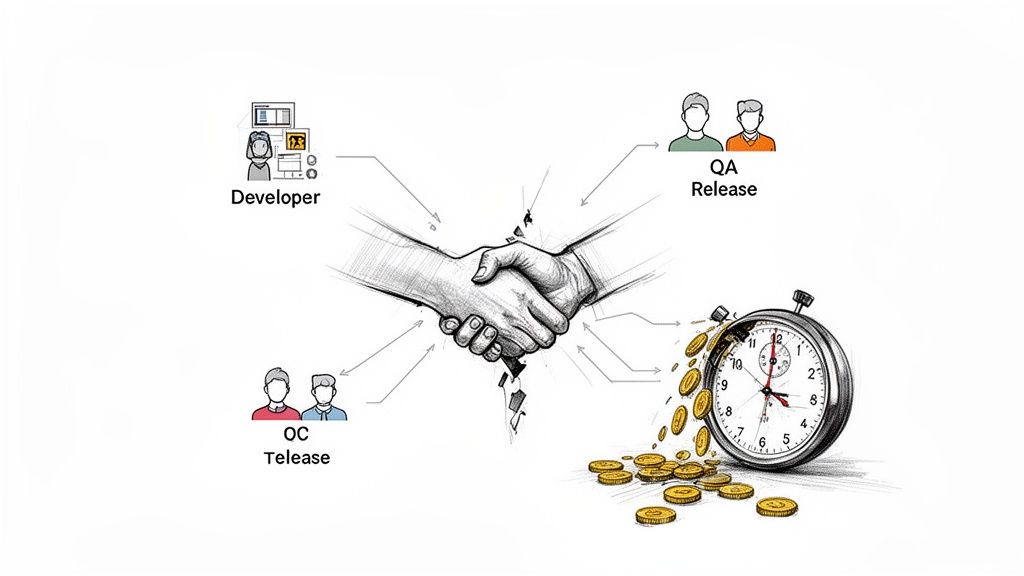
Poor collaboration creates more than just missed deadlines—it silently drains budgets, kills productivity, and damages morale. When your development, QA, and release teams operate in silos, the financial impact is immediate. The biggest sources of friction in software development almost always come back to misaligned handoffs and fragmented communication.
This friction inevitably leads to expensive rework, frustrating delays, and valuable team members leaving. In today's market, these disconnects are no longer just an inconvenience; they are a significant business risk.
The Real Price of Miscommunication
Here’s a common, costly scenario: a developer pushes code to QA without clear testing instructions or confirmation that unit tests passed. The QA team then wastes hours deciphering the feature's purpose or struggling with a broken build. This isn't just a minor delay; it's a domino effect that can push back an entire release.
Every manual, unstructured handoff is a potential point of failure. A forgotten attachment, a vague Slack message, or a ticket dragged to the wrong status can completely derail progress. These small issues accumulate, fostering a culture of confusion and blame.
When teams lack a standardized process, they spend more time coordinating work than actually doing it. This overhead acts as a hidden tax on every project, eating into profitability and slowing innovation.
Connecting Collaboration to Business Outcomes
The link between effective teamwork and financial success is clear. With 84% of U.S. employees now working on multiple teams, structured collaboration is essential. A Gallup study of over 183,000 teams found that those with high employee engagement—driven by great collaboration—achieved 23% higher profitability and 18% greater sales productivity than their peers. You can review the full study and its findings to see the full data.
These metrics provide a solid business case for investing in better processes. A structured, automated approach in Jira delivers tangible gains by:
- Reducing Rework: Implement clear "Definitions of Done" and automated quality gates to ensure work is completed correctly the first time.
- Accelerating Timelines: Eliminate manual handoffs and communication bottlenecks to shorten the entire development lifecycle.
- Improving Morale: Provide teams with clear, efficient processes to reduce frustration and increase job satisfaction.
Ultimately, learning how to improve team collaboration is a core strategy for growth. It enables your teams to ship high-quality products faster and more predictably. This guide will show you exactly how to build that framework.
Creating Your Single Source of Truth in Jira
Stop digging through spreadsheets, emails, and Slack channels to find project status updates. When information is scattered, you lose time and risk critical steps falling through the cracks. The first actionable step to improve team collaboration is to establish Jira as your undisputed single source of truth.
By centralizing all conversations, updates, and handoffs in Jira, you create a transparent, auditable record of the entire development lifecycle and eliminate ambiguity.
Map Your Core Processes First
Before configuring Jira, create a blueprint of how your teams actually work. Gather your developers, QA engineers, and release managers to map out every critical process, from the dev-to-QA handoff to multi-environment deployments.
To get an accurate picture, ask specific, direct questions:
- What exact steps must a developer complete before passing a ticket to QA?
- How does QA signal that a feature is fully tested and ready for the next stage?
- What is the step-by-step process for deploying to the staging environment?
- Who needs to be notified at each stage, and how does that notification happen now?
This exercise will uncover hidden bottlenecks and incorrect assumptions that are slowing your team down. Documenting these real-world workflows is the essential foundation for effective automation.
Define Your Rules of Engagement
With your processes mapped, establish clear ground rules. The two most critical guardrails are the Definition of Ready and the Definition of Done.
The Definition of Ready (DoR) acts as a gatekeeper, listing the non-negotiable criteria a task must meet before work begins. This prevents half-baked ideas from derailing a sprint.
A practical DoR should require that:
- The user story is written and approved by the Product Owner.
- Acceptance criteria are clear and testable.
- All design mockups are attached directly to the Jira ticket.
The Definition of Done (DoD) is the final checklist confirming a task is 100% complete. It goes beyond "code complete" to ensure you deliver a tested, documented, and shippable piece of work. For more details on this, see our guide on changing a workflow in Jira.
A strong Definition of Done is your team's ultimate quality gate. It’s a shared agreement that eliminates the "it works on my machine" excuse and ensures the final product meets expectations.
Here’s an example of how to build these rules directly into a Jira issue using a tool like Nesty, turning abstract concepts into actionable checklists.
This makes your rules tangible and impossible to ignore by embedding them directly within the ticket where the work happens.
Structure Workflows for Ultimate Clarity
Now, build your mapped processes and rules into a Jira workflow. The goal is a visual path that mirrors your team's real-life handoffs. Replace the generic "To Do → In Progress → Done" with statuses that reflect your unique stages.
Create a workflow with specific statuses like:
- Ready for Dev
- In Development
- Code Review
- Ready for QA
- In QA Testing
- Ready for Staging Deploy
Each transition between statuses represents a meaningful handoff. By building your process directly into Jira, you ensure no one skips a critical step and everyone knows their exact responsibilities at any given time. This is the foundation for predictable delivery.
Automating Handoffs to Erase Manual Work
With a solid workflow in place, you can reclaim your team's most valuable resource: time. Move beyond simply tracking work and start making it move faster. Automating common handoffs eliminates the clumsy, manual steps that create friction and slow everyone down.
Consider the dev-to-QA handoff. Instead of a developer manually reassigning the ticket, @-mentioning the right person, and posting a link in Slack, imagine that entire sequence happening automatically. This is a practical way to turn Jira from a passive logbook into an active project engine.
This diagram shows the three-step approach to building a workflow ready for automation.
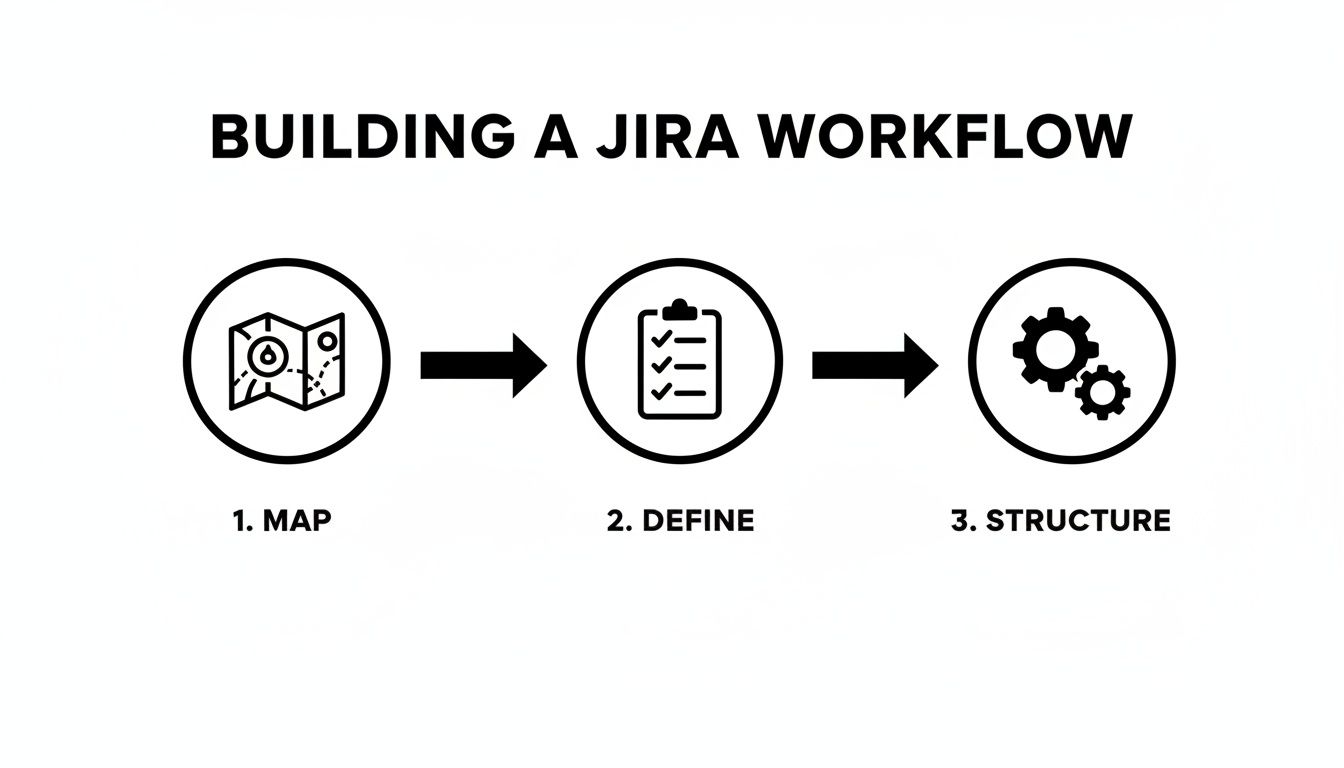
Effective automation requires a clear blueprint: first map the real-world process, then define the rules, and finally build that structure in Jira before layering on automation.
The Dev-to-QA Handoff, Perfected
Let's focus on one of the most frequent and error-prone handoffs: moving code from a developer to the QA team. Manual handoffs here often lead to missed notifications, incomplete information, and finger-pointing.
Automating this process ensures nothing falls through the cracks. You can create a rule that triggers the moment a developer completes their "Definition of Done" checklist.
For example, when a developer checks off "Unit Tests Passed," set up an automation rule that instantly:
- Changes the ticket status from
In DevelopmenttoReady for QA. - Reassigns the ticket from the developer to the QA team lead.
- Sends a notification to your team's
#qa-alertsSlack channel with a direct link to the Jira ticket.
This single rule eliminates three manual steps, making the handoff instant, consistent, and transparent. It's a small change that significantly improves team velocity. To put this into practice, read our article on Jira workflow automation for more detailed examples.
The difference is stark when viewed side-by-side.
Manual vs Automated Handoffs: A Comparison
Compare the old, manual handoff from Dev to QA with a modern, automated approach using a tool like Harmonize Pro / Nesty. The gains in speed and reliability are clear.
| Process Step | Manual Handoff (The Old Way) | Automated Handoff (The Nesty Way) |
|---|---|---|
| Status Change | Developer manually drags the ticket to a new column. | Automatic: Status changes to Ready for QA once the "Definition of Done" is complete. |
| Reassignment | Developer searches for the QA lead's name and reassigns. | Automatic: Ticket is instantly assigned to the designated QA team or individual. |
| Notification | Developer pings QA in Slack or a Jira comment. If they remember. | Automatic: A targeted notification is sent to a specific Slack channel with all context. |
| Information Check | QA has to manually check for build links, test notes, etc. | Automatic: Handoff is blocked if required fields (like build URL) are empty. |
| Outcome | Delays, forgotten tickets, and wasted time chasing info. | A seamless, error-proof handoff that happens in seconds. |
As the table shows, automation makes the process faster and smarter by building in checks that humans often forget. This is how you begin to scale quality.
Using Triggers to Enforce Quality Gates
Effective automation goes beyond notifications. With a powerful tool like Nesty for Jira, you can set up intelligent triggers that function as automated quality gates, ensuring standards are met without manual oversight.
Imagine a developer attempts to move a ticket to Ready for QA. An intelligent trigger can intervene and check if the prerequisites are met. It can verify:
- Is the "Code Review Checklist" fully completed?
- Is a link to the build artifact attached?
- Are the test environment details filled out?
If any answer is "no," the automation can block the status change and post an automated comment explaining what’s missing. This stops incomplete work from reaching the QA team, saving everyone from frustrating back-and-forth communication.
By automating validation, you turn your process from a suggestion into a self-enforcing standard. The right way becomes the only way.
Eliminating Communication Bottlenecks
Poor communication is a major productivity killer. Data shows 45% of employees say it damages trust, and 90% attribute workplace failures to poor collaboration. Conversely, 76% of teams using project management tools for communication report significant efficiency gains. You can dive into more workplace collaboration statistics for more data.
Automating communication isn't about replacing human interaction; it's about making it more meaningful. Let automation handle repetitive status updates so your team can focus on solving complex problems. It's about delivering the right information to the right person at the right time, transforming chaotic chatter into a predictable flow of information.
Building Quality Gates into Your Workflow
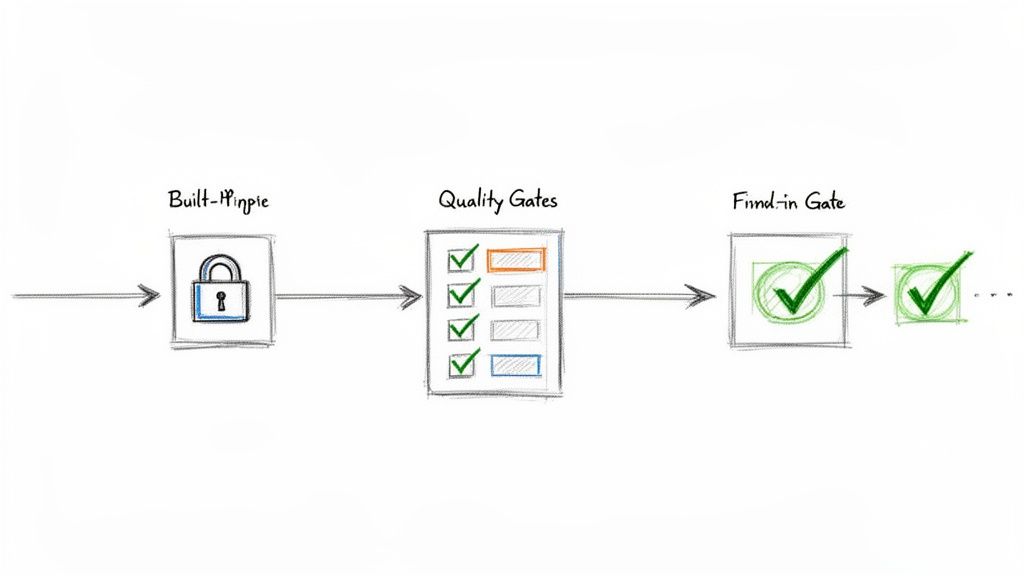
Automating handoffs is a good start, but what if the work being passed along isn't ready? Speeding up a broken process only means you deliver low-quality work to the next stage faster. To truly improve collaboration, you must build quality directly into your workflow.
Quality assurance should be a continuous process, not a last-minute inspection. Quality gates are automated checkpoints that prevent a task from moving forward until specific standards are met, catching problems at the source before they escalate.
From Suggestion to Standard with Checklists
Many teams have a "Definition of Done" (DoD), but it often resides in a forgotten document. To make it effective, embed that DoD as a dynamic checklist directly within your Jira tickets.
With an app like Nesty, you can create nested checklists to break down large quality checks into manageable stages.
For example, a developer's checklist might include:
- Code Implementation Complete
- Unit Tests Written and Passed
- Code Submitted for Peer Review
- Sub-task: Peer Reviewer A Approved
- Sub-task: Peer Reviewer B Approved
- Build Deployed to Dev Environment
This structure provides a real-time view of progress and creates a clear, auditable trail, ensuring every quality step is completed and verified.
Implementing Smart Blockers That Enforce Rules
Smart blockers give your quality gates authority. A smart blocker is an automated rule that physically prevents an issue from changing status until all criteria are met. The system enforces the process, so no individual has to act as the "process police."
For instance, if a developer tries to move a ticket from In Development to Ready for QA, a smart blocker can check:
- Is the "Developer DoD" checklist 100% complete?
- Is a link to the code repository branch included?
- Has the ticket been estimated with story points?
If any of these criteria are not met, the transition fails, and the developer receives an immediate notification explaining what is missing. This contextual feedback ensures no one has to chase down incomplete work.
Smart blockers transform your workflow from a passive record into an active guardian of your team's quality standards. The correct way to do things becomes the only way to do things.
A Real-World Release Management Scenario
Apply this concept to a high-stakes process like a software release. A release ticket involves multiple teams and complex dependencies, making quality gates critical for a smooth deployment.
Consider a release ticket with statuses like Ready for Staging, In Staging, Ready for Production, and Done.
- Gate 1 (Moving to
In Staging): Block the transition until a "Pre-Staging Checks" checklist is complete. This could include items like "Final build artifacts are attached" and "Release notes are drafted." - Gate 2 (Moving to
Ready for Production): Block the transition until the "Staging QA & Sign-off" checklist is fully verified. This list would include crucial steps like "All regression tests passed," "Performance tests successful," and "Product Owner sign-off received."
This proactive approach ensures your release process is followed precisely every time, dramatically reducing human error and preventing bugs from reaching production. Mastering these gates is a key component of Jira workflow best practices.
How to Measure If Better Collaboration Is Actually Working
Implementing new workflows and automation is only half the battle. To prove these changes are effective, you need to track the right metrics. Stop relying on gut feelings and start using hard data to measure your team's performance.
Focus on Key Performance Indicators (KPIs) that directly reflect the health of your collaborative processes. These metrics provide clear evidence that your new systems are reducing friction, increasing speed, and improving work quality.
Metrics That Actually Tell You Something
Move past superficial stats like the total number of tickets closed. To gain real insight, track KPIs that measure the efficiency of your entire development lifecycle.
Here are three essential metrics you can track directly within Jira:
- Cycle Time: This measures the total time from when work begins on a ticket ("In Progress") to when it is complete ("Done"). A consistently decreasing cycle time is a strong indicator that your automated handoffs are successfully eliminating bottlenecks.
- Rework Rate: Track how often a ticket moves backward in the workflow (e.g., from
In QAback toIn Development). A high rework rate signals poor communication or unclear requirements. A declining rate shows your "Definition of Done" and quality gates are working. - On-Time Delivery Percentage: Measure the percentage of work your team completes within the planned sprint or release timeline. As collaboration improves, predictability increases, which should be reflected in a higher on-time delivery rate.
These metrics provide a tangible pulse on your team's collaborative health.
Build a Collaboration Dashboard in Jira
Data is only useful if it's visible. Use Jira's native dashboards to create a single source of truth for tracking the performance of your process improvements.
Keep your dashboard focused on key metrics. Use the "Control Chart" gadget to visualize cycle time and the "Created vs. Resolved Chart" to monitor throughput. Seeing these trends daily helps you spot progress and address issues before they become major problems.
Use your Jira dashboard as a conversation starter in retrospectives. Celebrate wins and have honest, data-driven discussions about what needs improvement.
Connecting the Dots to Business Value
Ultimately, you must demonstrate the return on investment (ROI) of your efforts. It's more powerful to present a dashboard showing a 20% reduction in Cycle Time and a 15% drop in Rework Rate than to simply say you "made things smoother."
These metrics translate directly to business value. A lower rework rate means fewer developer hours are wasted fixing preventable bugs, freeing up time for new feature development. A shorter cycle time allows your company to respond faster to market changes and customer feedback, providing a significant competitive advantage.
This is how you prove that investing in a tool like Harmonize Pro / Nesty is not just an expense—it's a strategic move that drives efficiency, quality, and growth.
Got Questions? We’ve Got Answers.
Adopting workflow automation can seem daunting, but it is one of the most impactful changes you can make to improve team collaboration. Here are answers to common questions that arise when teams get started.
"How Can We Start Automating Jira Workflows Without Blowing Up Our Current Sprint?"
The key is to start small and secure a quick win. Do not try to overhaul your entire company's process at once. Instead, identify a single, specific pain point that everyone agrees is a bottleneck.
The classic handoff from Development to QA is an ideal starting point, as it is a frequent source of miscommunication and delays.
Follow this low-risk, four-step approach:
- Isolate the experiment. Choose one team or a single project to pilot the new process. This contains the impact and allows you to gather feedback without disrupting other teams.
- Use a sandbox. Always build and test new automation in a separate test project. This provides a safe environment to refine the workflow before deploying it to live projects.
- Map the real steps. Document the existing process in detail. Identify what the developer does, what information the QA engineer needs, and the exact trigger point for the handoff.
- Define a clear trigger. For example, configure the automation to fire when a "Code Review Checklist" is marked complete. This action can then automatically reassign the ticket to the QA lead and notify them via Slack.
This approach demonstrates value on a small scale, minimizing disruption and building momentum for broader adoption.
"What’s the Real Difference Between Jira’s Built-in Automation and an App Like Nesty?"
Jira’s native automation is effective for simple, linear rules, such as "When status changes, add a comment." It is best suited for basic housekeeping and simple alerts.
However, for complex processes with multiple dependencies, conditional logic, and cross-team coordination, you will quickly reach its limits. This is where a dedicated app like Nesty by Harmonize Pro provides a more robust solution designed for intricate, real-world workflows.
A simple analogy: Jira's native automation is like setting a single alarm clock. Nesty is like conducting an orchestra, ensuring every instrument plays its part at the right moment.
Nesty offers advanced capabilities that native functions lack:
- Deeply Nested Checklists: Create multi-level checklists to serve as comprehensive, enforceable quality gates.
- Dynamic Blockers: Physically prevent a ticket from transitioning until specific criteria are met, turning process suggestions into enforced standards.
- Intelligent Multi-Step Triggers: A single action, like completing a checklist, can initiate a cascade of automated actions, such as creating and assigning multiple sub-task checklists to different people across different teams.
For complex processes like customer onboarding or multi-environment releases, this level of control is essential for building a self-managing Jira ticket that guides the entire workflow.
"How Do We Actually Get Our Team to Adopt These New Standardized Processes?"
Adoption hinges on one principle: make the right way the easiest way. If your new, automated process requires less effort than the old, manual one, your team will embrace it.
First, involve the team in the design process. When people help build the workflow, they gain a sense of ownership and ensure it solves their actual problems, not just perceived ones.
Next, highlight the personal benefits. Show a developer how completing one checklist eliminates three manual tasks they dislike, such as updating the ticket status, reassigning it, and notifying the QA team. They will see the new process as a time-saving tool, not just another layer of bureaucracy.
Finally, use features like Nesty's blockers to guide behavior. When an issue cannot be moved forward until the "Definition of Done" is met, the process enforces itself. This creates consistency and ensures quality is built-in from the start, which ultimately makes everyone's job easier.
Ready to stop talking about process and start building self-managing workflows? With Harmonize Pro, you can create the intelligent, automated handoffs and quality gates that keep your teams in sync and shipping better work, faster.