
10 Actionable Best Practices in Jira for High-Performing Teams in 2025

Jira is the central nervous system for countless development teams, yet many organizations barely scratch the surface of its potential. Without a clear strategy, what should be a source of truth quickly devolves into a chaotic collection of inconsistent tickets, ambiguous workflows, and cluttered projects. This disorganization leads directly to confusion, missed deadlines, and frustrated teams who spend more time deciphering Jira than building products. The difference between a high-performing team and a struggling one often lies in how they manage this critical tool.
This guide cuts through the noise. It isn't a theoretical overview; it's a practical, actionable playbook for implementing essential best practices in Jira. We will explore 10 field-tested principles that transform Jira from a simple ticketing system into a powerful engine for collaboration, predictability, and efficient delivery. This comprehensive roundup is designed for immediate impact, helping you bring order to your projects and empower your teams.
For each best practice, you will learn:
- The Why: The strategic value behind the practice and the problems it solves.
- The How: Concrete, step-by-step instructions for implementation within Jira.
- Common Pitfalls: Mistakes to avoid that can undermine your efforts.
- Automation & Enforcement: How modern tools like Harmonize Pro / Nesty can enforce these standards automatically.
By moving from reactive Jira usage to a proactive, structured approach, you can eliminate ambiguity and ensure your teams stay aligned, efficient, and focused on delivering value. Let's dive into the practices that create clarity and drive results.
1. Standardize Project and Issue Key Naming Conventions
Consistent naming conventions for Jira projects and issue keys are foundational for maintaining clarity and efficiency at scale. When every team member can instantly identify a project's purpose or an issue's context from its key, you eliminate ambiguity and speed up cross-team collaboration. This practice is a cornerstone of effective information architecture within your Jira instance.
Why It's a Best Practice
Standardized naming prevents the chaos that ensues when project keys are cryptic or inconsistent. A clear convention like MKT for Marketing or DS for Data Science immediately tells a user where a ticket originates. This predictability is crucial for filtering, searching, and creating effective JQL queries. For example, a developer can quickly find all dependencies related to a specific product by searching for its prefix, a vital step in complex release planning. Without this, teams waste time deciphering ticket origins, leading to delays and miscommunication.
Actionable Implementation Steps
To implement this best practice in Jira, start by defining and documenting your standards.
- Establish a Project Key Formula: Create a simple, memorable formula. A common approach is a 2-4 letter abbreviation of the team, product, or initiative (e.g.,
IOSfor the iOS App team,WEBfor the Web Platform team). - Define Issue Summary Prefixes: For issue summaries, use standardized prefixes to signal the work type. For instance, a bug report could start with
BUG:, a new feature withFEAT:, and a technical task withTASK:. - Document Everything: Create a central Confluence page or shared document that clearly outlines these conventions for all teams, including onboarding materials for new hires.
Key Insight: The goal is not just consistency but predictability. A team member from any department should be able to reasonably guess a project key or understand an issue's context without needing a decoder ring.
Automating Naming Conventions
Manually enforcing these rules is prone to human error. Tools can automate this process, ensuring every project and issue conforms to your standards from the moment of creation. For instance, you can create standardized project templates that lock in naming conventions.
For teams looking for robust enforcement, platforms like Harmonize Pro’s Nesty can automatically apply these naming conventions based on predefined rules, ensuring 100% compliance. You can learn more about how to set up these automated templates on Nesty's getting started page. This automation solidifies one of the most impactful best practices in Jira, turning a manual chore into a reliable, background process.
2. Implement Comprehensive Issue Type Structure
A well-defined issue type structure is the backbone of an organized Jira instance. By creating a clear taxonomy for different types of work, you ensure that every task, bug, and story is categorized consistently. This foundation is essential for enabling accurate reporting, precise filtering, and streamlined workflow management across all teams.
Why It's a Best Practice
Without a standardized issue type scheme, teams often default to generic types like "Task," leading to a chaotic backlog where a critical bug holds the same classification as a minor documentation update. This ambiguity makes it nearly impossible to prioritize work effectively, generate meaningful reports, or build specialized workflows. For example, a "Bug" issue type can be routed through a specific QA and verification workflow, while a "Story" follows a product discovery and development path. This level of process clarity, a key component of best practices in Jira, is only possible with a thoughtful issue type hierarchy.
Actionable Implementation Steps
To implement this best practice, focus on creating a clear, intentional, and well-documented set of issue types.
- Limit Core Issue Types: Start with a core set of 5-7 issue types per project, such as Story, Task, Sub-task, Bug, and Epic. This prevents user confusion and ensures each type has a distinct purpose.
- Map to Your Development Process: Align issue types with your actual workflow. If your team handles infrastructure requests differently from feature development, create a custom issue type like "Infra Task" with its own workflow.
- Train and Document: Create a Confluence page detailing when to use each issue type, with clear examples. Include this training in your onboarding process to ensure new team members adopt the standards from day one.
- Audit Regularly: Periodically review your projects to identify and remove misused or obsolete issue types. This keeps your Jira instance clean and efficient.
Key Insight: Your issue types should reflect your team's unique processes, not force your processes into a generic template. The goal is to make categorization intuitive and meaningful for everyone.
Automating Issue Type Structure
Maintaining this structure manually can be challenging as teams evolve. Automation can ensure your established taxonomy is consistently applied. For instance, you can use project templates to pre-configure a standard set of issue types for all new projects.
For more advanced governance, tools like Harmonize Pro’s Nesty allow you to define and enforce organizational standards for issue type schemes. You can lock in a specific set of issue types for certain project categories, preventing unauthorized additions and ensuring every project aligns with your established best practices. This automation helps maintain long-term structural integrity in your Jira instance.
3. Maintain Clean and Descriptive Issue Summaries
A well-written issue summary is the first point of contact anyone has with a ticket. It acts as the headline, determining whether stakeholders can quickly grasp the task's purpose. Clean, descriptive summaries are crucial for effective communication, searchability, and overall backlog hygiene, making this one of the most fundamental best practices in Jira.
Why It's a Best Practice
Vague summaries like "Fix bug" or "Update page" create informational black holes. Team members are forced to click into every ticket to understand the work, wasting valuable time and causing confusion during backlog grooming, sprint planning, and reporting. A descriptive summary, such as "BUG: Login button unresponsive on mobile Safari," provides immediate context, enabling team members to filter, prioritize, and assign work efficiently. This clarity accelerates everything from daily stand-ups to high-level roadmap discussions, as the nature of the work is instantly recognizable.
Actionable Implementation Steps
Implementing clear summary standards requires a simple but disciplined approach.
- Create a Summary Template: Establish a standardized format that includes key information. A popular and effective template is
[Type]: [Component] - [Action]. For example,FEAT: User Profile - Add two-factor authentication option. - Define Clear Verbs: Encourage the use of specific action verbs. Instead of "Work on," use verbs like "Implement," "Investigate," "Remove," or "Refactor."
- Document the Standard: Add these guidelines to your team's Confluence page or central documentation. Ensure it's part of the onboarding process for new hires to build good habits from day one.
Key Insight: A great issue summary should pass the "glance test." Anyone, from a developer to a product manager, should understand the core task in under three seconds without needing to open the issue.
Automating Summary Standards
Consistently enforcing summary formats can be challenging, especially in large or fast-moving teams. Manual reviews are time-consuming and often fall through the cracks. Automation can ensure every new issue adheres to your defined structure from the moment it's created.
Tools like Harmonize Pro’s Nesty can automatically validate and enforce summary patterns using predefined rules. For instance, you can configure it to ensure every bug report starts with BUG: and includes a component name. This removes the manual burden of policing standards and guarantees a clean, searchable backlog. You can find out more about setting up these rules on the Nesty product page.
4. Define and Enforce Clear Workflow States
A well-defined workflow is the backbone of process management in Jira, guiding an issue from creation to completion. Establishing explicit, clear workflow states ensures that every team member understands the status of a task at a glance. This clarity is essential for accurate reporting, identifying bottlenecks, and preventing work from getting lost in ambiguous or undefined stages.

Why It's a Best Practice
Clear workflows bring predictability and structure to complex processes. When states like Backlog, Ready for Dev, In Progress, In Review, and Done are universally understood, it eliminates confusion and standardizes how work progresses. This visibility allows teams to accurately forecast timelines and helps stakeholders understand the status of deliverables without needing constant updates. Without clear states, teams often misinterpret an issue's progress, leading to duplicated effort and missed deadlines.
Actionable Implementation Steps
To implement this best practice in Jira, focus on simplicity and enforcement.
- Keep It Simple: Design workflows with a minimal number of states, ideally between 5 and 7. A common, effective flow is
To Do→In Progress→In Review→Done. - Define Each State: Document what each status means and the criteria required to move an issue into it. For example, an issue can only move to
In Reviewif it has an assigned reviewer. - Use Workflow Conditions: Leverage Jira’s built-in workflow conditions and validators to enforce business rules. For instance, prevent an issue from moving to
Doneunless the "Resolution" field is set.
Key Insight: A workflow shouldn't just map your process; it should enforce it. Use conditions and validators to build guardrails that guide users toward the correct actions, making the right way the only way.
Automating Workflow Management
Manually managing transitions and ensuring compliance is time-consuming. Jira automation can be configured to transition issues based on specific triggers, such as moving a ticket to In Review when a pull request is created. This reduces manual overhead and ensures the workflow moves forward consistently.
For organizations needing to standardize workflows across multiple projects, Harmonize Pro’s Nesty allows you to create and deploy locked-down, reusable workflow templates. This ensures every project follows the same proven process from the start. Learn more about how to set up cross-functional workflows on Nesty's documentation page. Automating your workflows is a critical step in scaling your best practices in Jira.
5. Leverage Custom Fields Strategically and Sparingly
Custom fields are powerful for capturing unique metadata, but their overuse is a common Jira pitfall that leads to cluttered screens, slow performance, and user confusion. Strategic use of custom fields ensures you collect essential information without overwhelming teams. This practice is key to maintaining a clean, efficient, and user-friendly Jira environment.
Why It's a Best Practice
An excessive number of custom fields complicates issue creation, making it a chore for users to fill out tickets. This can lead to incomplete data or, worse, users avoiding ticket creation altogether. A lean approach ensures that every field serves a distinct, valuable purpose, making data entry faster and more accurate. For instance, an engineering team benefits from a "Reproducibility" field on bug reports, but a marketing team does not. Tailoring fields to project needs is a critical component of successful best practices in Jira.
Actionable Implementation Steps
To implement this best practice, focus on necessity and regular maintenance. A disciplined approach prevents field-creep and keeps your instance optimized.
- Audit Existing Fields: Regularly review your custom fields. If a field is unused or provides redundant information, archive it. Start by auditing fields that are not associated with any screen.
- Prioritize Built-in Fields: Before creating a new custom field, determine if a default Jira field like "Component," "Affects Version," or "Labels" can serve the purpose.
- Limit Fields Per Project: Aim to keep the number of required custom fields to a minimum, ideally 3-5 per project, to streamline the issue creation process. Document the purpose of each field in a shared Confluence page.
Key Insight: Treat every custom field as a form of "technical debt." Each one adds complexity and requires maintenance. Only add a field if the value of the data it collects clearly outweighs the cost of its existence.
Automating Custom Field Management
Manually auditing and managing custom fields across a large instance is time-consuming. You can improve this process by using Jira’s built-in tools to identify unused fields and associate specific fields with relevant issue-type screen schemes. This ensures that a bug report for a mobile app has different fields than a content request for the marketing blog.
For more advanced governance, tools can provide insights into custom field usage and help enforce standards. Harmonize Pro’s Nesty allows administrators to create and manage project templates with pre-defined custom field configurations, ensuring new projects start clean and adhere to organizational standards from day one. This proactive approach prevents clutter before it begins, solidifying your custom field strategy.
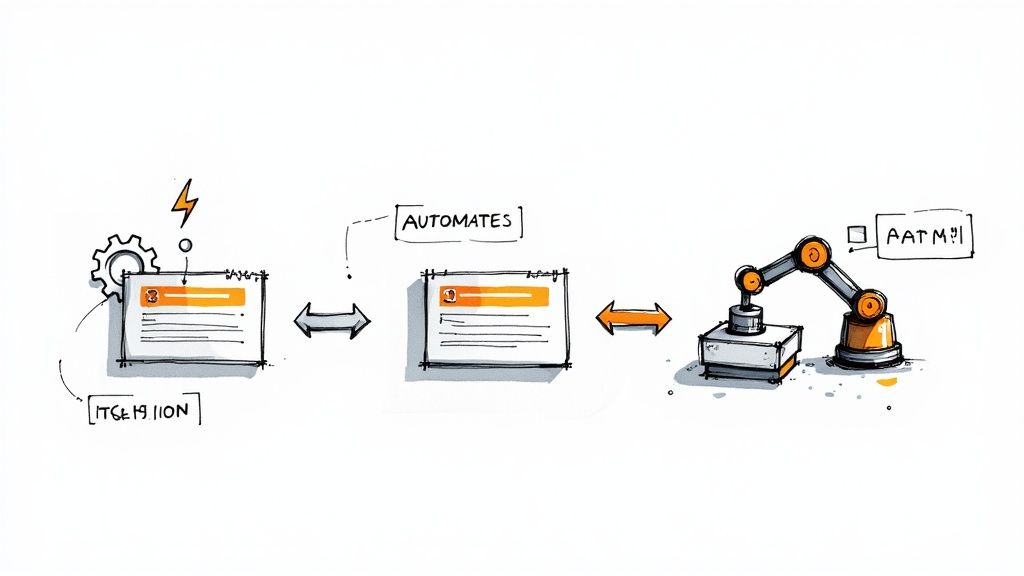
6. Use Automation to Reduce Manual Work and Errors
Jira's automation features are a powerful tool for reducing the burden of repetitive manual tasks, minimizing human error, and accelerating workflow execution. By creating rules that trigger specific actions, teams can ensure processes are followed consistently and efficiently without constant manual intervention. This is a crucial step in scaling operations and freeing up team members to focus on more strategic work.
Why It's a Best Practice
Manual processes are slow, prone to mistakes, and inconsistent. Forgetting to update a ticket's status, notify a stakeholder, or assign a sub-task can cause significant delays and communication breakdowns. Automation solves this by creating reliable, event-driven workflows. For instance, an automation rule can instantly assign a newly created bug to the QA lead for the specified component, ensuring it never gets lost in the backlog. This practice transforms Jira from a simple task tracker into a dynamic system that actively manages your workflow.
Actionable Implementation Steps
To effectively integrate automation, start small and build complexity over time. Focus on high-impact, low-effort rules first.
- Identify Repetitive Tasks: Pinpoint common, rule-based actions your team performs daily, such as transitioning issues, adding comments, or assigning work.
- Start with Simple Rules: Begin with straightforward automations. A great starting point is a rule that automatically closes a parent story when all its sub-tasks are moved to "Done."
- Document and Test: Create a central record of all automation rules, explaining their triggers and actions. Always test rules in a sandbox or with a limited scope before deploying them globally to avoid unintended consequences.
Key Insight: The most effective automation doesn't just save time; it enforces process. It ensures that critical steps are never missed, creating a more reliable and predictable workflow for everyone.
Automating Notifications and Workflows
Leveraging automation for notifications and workflow transitions is one of the most impactful best practices in Jira. Instead of manually pinging team members, rules can handle it for you. You can set up triggers to send automated notifications when critical issues are created or when a ticket is unassigned for too long.
Tools like Harmonize Pro’s Nesty extend these capabilities, allowing you to build complex, multi-step automations that can manage entire processes. For example, Nesty can automatically create a standardized set of sub-tasks for a new feature request, assign them to the correct individuals, and set due dates based on the parent issue's timeline. You can explore how to set up advanced automated triggers with Nesty's documentation on notification triggers. This level of automation ensures consistency and accelerates project timelines from day one.
7. Establish Clear Estimation and Planning Practices
Consistent estimation practices are the engine of predictability in agile development. Whether using story points or time-based estimates, a shared understanding of effort allows teams to forecast sprints accurately, plan capacity effectively, and communicate realistic timelines to stakeholders. This discipline transforms planning from a guessing game into a data-driven process, forming a key pillar of effective Jira best practices.
Why It's a Best Practice
Inconsistent estimation leads to unreliable sprint commitments, missed deadlines, and a breakdown of trust between development teams and business stakeholders. When every team member applies a consistent scale, such as the Fibonacci sequence (1, 2, 3, 5, 8), the team develops a stable velocity. This velocity is a crucial metric, enabling accurate long-term forecasting and providing an empirical basis for sprint planning. Without this foundation, sprint planning is chaotic, and roadmaps become unreliable fantasies.
Actionable Implementation Steps
To implement this best practice in Jira, focus on creating a shared framework and process.
- Choose and Define an Estimation Scale: Decide whether to use story points (e.g., Fibonacci) or time-based estimates (e.g., hours, days). Document what each value represents in a shared Confluence page. For example, a "3" might represent a straightforward task with minimal unknowns.
- Conduct Team-Based Estimation Sessions: Use techniques like Planning Poker during sprint planning. This collaborative approach ensures the entire team contributes to the estimate, uncovering hidden complexities and fostering a shared understanding of the work.
- Track and Analyze Velocity: Use Jira's built-in Velocity Chart to track the team's output over the last 3-4 sprints. This establishes a baseline that makes future sprint commitments more reliable and predictable.
Key Insight: The goal of estimation is not perfect accuracy on a single ticket but consistent predictability over a body of work. It’s about creating a reliable forecast, not a contractual obligation for each issue.
Automating Estimation and Planning
While the estimation process itself is collaborative, Jira can be configured to support it seamlessly. Ensure your boards are configured to display your chosen estimation statistic (Story Points or Original Time Estimate). This makes the data visible and central to all planning activities.
For more advanced needs, platforms like Nesty can help standardize the fields and workflows associated with planning. By ensuring that estimation fields are mandatory at the right workflow stage, you can enforce that no work is committed to a sprint without a proper estimate. You can explore how Nesty helps structure these workflows on Nesty's getting started page. This automation reinforces the discipline required for one of the most critical best practices in Jira.
8. Maintain Organized Backlogs with Proper Prioritization
A well-organized backlog is the engine of an agile team, translating strategic goals into actionable work. Without clear prioritization, teams waste cycles on low-impact tasks, lose momentum, and fail to deliver value efficiently. This practice ensures that every sprint is focused on what matters most, aligning development efforts directly with business objectives and making it one of the most crucial best practices in Jira.

Why It's a Best Practice
An unmanaged backlog quickly becomes a "junk drawer" of outdated ideas, vague requests, and technical debt. Proper prioritization provides clarity and focus, enabling teams to make informed decisions during sprint planning. When the backlog is refined and ordered, developers can pull the next most important item without hesitation, stakeholders have visibility into the product roadmap, and product managers can accurately forecast timelines. This structured approach prevents scope creep and ensures resources are allocated to tasks with the highest return on investment.
Actionable Implementation Steps
To implement this best practice, establish a routine and a clear framework for backlog management.
- Choose a Prioritization Framework: Adopt a consistent method like the MoSCoW method (Must, Should, Could, Won't) or a Value vs. Effort matrix to objectively rank issues. This removes subjectivity and aligns the team around a shared understanding of priority.
- Schedule Regular Refinement Sessions: Hold weekly or bi-weekly backlog grooming meetings. Use these sessions to discuss, estimate, and prioritize upcoming user stories, ensuring the top of the backlog is always ready for development.
- Define Clear Acceptance Criteria: Every user story should have well-defined acceptance criteria before it's considered "sprint-ready." This minimizes ambiguity and reduces back-and-forth during the development cycle.
Key Insight: A great backlog is not just a list; it's a living, breathing artifact that reflects the product's strategic direction. The top items should be small, well-defined, and ready for work, while items further down can remain larger and less detailed.
Automating Backlog Organization
Manually managing priorities and ensuring stories are properly formatted can be tedious. Automation can help maintain the integrity of your backlog by standardizing issue creation and organization. Templates and predefined fields are a good starting point for ensuring every new issue contains the necessary information for prioritization.
For more advanced control, platforms like Harmonize Pro’s Nesty can enforce the inclusion of specific fields like "Business Value" or "Effort Score" upon issue creation. By setting up templates in Nesty’s getting started guide, you can guarantee that every new backlog item is created with the data needed for effective prioritization, keeping your backlog clean and actionable.
9. Create and Maintain Comprehensive Issue Documentation
Comprehensive issue documentation is the lifeblood of an effective development cycle. When issues are created with rich context, clear acceptance criteria, and detailed descriptions, they become a single source of truth that prevents ambiguity, reduces rework, and enables asynchronous collaboration. This practice transforms a simple ticket into a comprehensive work package that accelerates resolution and improves final quality.
Why It's a Best Practice
Poorly documented issues are a primary source of friction and wasted effort. When a developer has to chase down a product manager for clarification or a QA engineer cannot reproduce a bug, valuable time is lost. Well-documented issues eliminate these bottlenecks by providing all necessary information upfront. For example, a bug report with clear reproduction steps, logs, and screenshots allows a developer to diagnose the problem immediately, rather than spending hours trying to replicate it. This level of detail ensures that everyone, from engineering to QA, operates from the same shared understanding.
Actionable Implementation Steps
To implement this best practice in Jira, focus on creating structured templates that guide users to provide complete information.
- Develop Issue Templates: Create different templates for Bugs, Stories, and Tasks. For a bug, require fields like "Steps to Reproduce," "Expected Behavior," and "Actual Behavior." For a story, include "User Persona," "Use Cases," and "Acceptance Criteria."
- Mandate Essential Information: Make key fields mandatory. Include attachments like screenshots or logs, specify affected versions and environments, and use
@mentionsto pull in relevant stakeholders for initial review. - Document and Train: Store these templates and guidelines in a central Confluence page. Train teams on why this level of detail is crucial and how to use the templates effectively.
Key Insight: Treat every Jira issue as a formal handover document. The goal is for anyone to pick up the ticket and understand the "what," "why," and "how" without needing a live conversation.
Automating Documentation Standards
Relying on manual compliance for detailed documentation can be inconsistent. Automation can enforce these standards, ensuring every issue created meets your quality bar. You can use Jira’s built-in issue template features or configure automation rules that prompt users to fill in missing information.
For more advanced control, tools like Harmonize Pro’s Nesty allow you to create dynamic, pre-populated templates that can be automatically applied based on project or issue type. This ensures that every bug report, feature request, or task is created with the necessary structure and detail from the start. Learn how to configure these powerful templates by visiting the Nesty documentation. This transforms one of the most critical best practices in Jira from a guideline into a guaranteed process.
10. Implement Effective Labeling and Component Organization
Effective labeling and component organization are critical for creating a multi-dimensional and searchable Jira instance. While issue types define what an item is, components and labels define where it belongs and what it affects. This practice turns your Jira instance from a simple task list into a powerful, cross-functional database that supports targeted reporting, filtering, and JQL queries.
Why It's a Best Practice
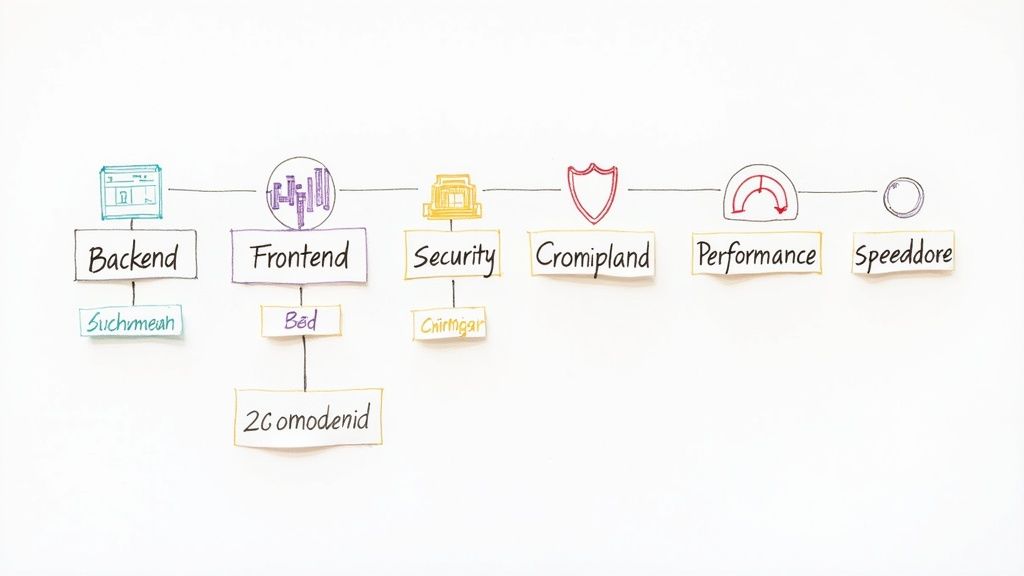
Without a structured approach, labels proliferate uncontrollably, creating a "tag swamp" where security, Security, and sec all mean the same thing but return different search results. Components, when ill-defined, become too granular or too broad to be useful. A strategic system for both prevents this chaos. Components like authentication or payment-gateway clearly group work by functional area, while labels like performance or technical-debt track cross-cutting concerns that touch multiple components, making them essential best practices in Jira.
Actionable Implementation Steps
Start by defining a clear, documented strategy for how your teams should use labels and components.
- Define Component Structure: Use components to represent major, stable parts of your product or system. Good examples include
Backend,Frontend,iOS-App, orAPI. Avoid creating components for temporary features. - Create a Standard Label Set: Establish a curated list of 15-20 global labels for cross-cutting concerns (e.g.,
security,accessibility,documentation). This prevents duplicates and ensures consistency. - Document and Govern: Maintain a Confluence page detailing the purpose of each component and the definition of each standard label. Periodically audit and consolidate labels to remove redundant or unused tags.
Key Insight: Treat Components as the "nouns" of your project (the parts) and Labels as the "adjectives" (the characteristics). This mental model helps teams decide which to use and prevents overlap.
Automating Labeling and Components
Manually adding the correct labels and components to every issue is tedious and prone to error. Automation ensures that issues are correctly categorized from the start, improving the accuracy of your reports and filters. For example, an automation rule could add the security label to any bug created with a "critical" priority.
For organizations requiring strict governance, Harmonize Pro’s Nesty allows administrators to create predefined, approved lists of labels and components. This prevents users from creating ad-hoc tags and enforces taxonomic consistency across all projects, ensuring your Jira data remains clean and reliable. You can explore how to enforce these structures on Nesty's documentation page.
Top 10 Jira Best Practices Comparison
| Practice | 🔄 Implementation complexity | ⚡ Resource requirements | 📊 Expected outcomes | 💡 Ideal use cases | ⭐ Key advantages |
|---|---|---|---|---|---|
| Standardize Project and Issue Key Naming Conventions | Low–Moderate 🔄: policy definition + initial setup | Low ⚡: admin time, docs | Improved discoverability and consistent identification 📊 | Multi-project orgs, cross-team integrations 💡 | Consistent search/filtering; easier integrations ⭐ |
| Implement Comprehensive Issue Type Structure | Moderate 🔄: taxonomy design and governance | Moderate ⚡: config, training | Better classification, reporting accuracy 📊 | Large orgs or varied workstreams (dev, infra, ops) 💡 | Targeted workflows and clearer reports ⭐ |
| Maintain Clean and Descriptive Issue Summaries | Low 🔄: templates and training | Low ⚡: lightweight review effort | Faster triage and improved searchability 📊 | Teams needing quick triage and async communication 💡 | Quicker identification; fewer clarification meetings ⭐ |
| Define and Enforce Clear Workflow States | Moderate–High 🔄: workflow mapping + automation | Moderate ⚡: admins, automation rules, reviews | Greater visibility and accurate metrics (burndown/velocity) 📊 | Cross-functional teams or regulated processes 💡 | Prevents invalid transitions; reliable status reporting ⭐ |
| Leverage Custom Fields Strategically and Sparingly | Moderate 🔄: field design, governance, audits | Moderate ⚡: admin overhead; potential perf impact | Targeted reporting when limited and relevant fields used 📊 | Teams needing business-specific metadata (finance, sales) 💡 | Captures essential metadata; supports specialized reports ⭐ |
| Use Automation to Reduce Manual Work and Errors | Moderate–High 🔄: rule creation, testing, maintenance | Moderate ⚡: technical setup, monitoring | Reduced manual tasks, fewer errors, faster resolution 📊 | High-volume repetitive tasks; SLA-driven environments 💡 | Consistency, time savings, improved SLA compliance ⭐ |
| Establish Clear Estimation and Planning Practices | Moderate 🔄: calibration, process adoption | Moderate ⚡: planning meetings, tracking tools | Improved sprint predictability and velocity forecasting 📊 | Sprint-based teams needing reliable forecasts 💡 | Better planning accuracy; identifies capacity bottlenecks ⭐ |
| Maintain Organized Backlogs with Proper Prioritization | Moderate 🔄: ongoing refinement and governance | Moderate ⚡: PO/PM time, refinement sessions | Focused delivery; reduced context switching 📊 | Teams with many competing priorities or stakeholders 💡 | Clear priorities; improved stakeholder alignment ⭐ |
| Create and Maintain Comprehensive Issue Documentation | Moderate 🔄: templates, review discipline | Moderate–High ⚡: time to author and update | Fewer clarifications; higher-quality resolutions 📊 | Complex bugs, onboarding, distributed teams 💡 | Faster resolution; knowledge retention and reuse ⭐ |
| Implement Effective Labeling and Component Organization | Low–Moderate 🔄: taxonomy definition and audits | Low–Moderate ⚡: governance, periodic cleanup | Multi-dimensional filtering and improved routing/reporting 📊 | Cross-cutting concerns; multi-team reporting needs 💡 | Enhanced filtering, routing, and flexible reporting ⭐ |
Turn Best Practices into Automated Habits
Navigating the complexities of software development, QA, release management, and customer onboarding requires a central nervous system that is both powerful and precise. As we've explored, Jira can be that system, but only when it’s configured with intention and discipline. Moving beyond the default settings to implement structured best practices in Jira is not merely an administrative exercise; it's a strategic imperative that directly impacts your team's velocity, predictability, and overall product quality.
We've covered a wide spectrum of actionable strategies, from establishing standardized naming conventions for projects and issues to maintaining meticulously organized backlogs. We've seen how clear workflow states eliminate ambiguity, while strategic use of custom fields adds valuable context without creating clutter. Each of these practices, whether it’s writing clean issue summaries or leveraging automation, contributes to a single, overarching goal: creating a seamless, transparent, and efficient delivery pipeline.
From Theory to Daily Reality
The challenge with any set of best practices is transforming them from a documented ideal into a lived reality. It's one thing to agree that every bug report should include detailed steps to reproduce; it's another thing entirely to ensure it happens every single time, without fail, across a growing team. This is where the true value of process maturity emerges. The most successful teams don't rely solely on human memory or manual enforcement. Instead, they embed these best practices directly into their tools and workflows, making the "right way" the "easy way."
This is the critical shift from simply knowing the best practices in Jira to operationalizing them. When you automate the mundane-yet-critical tasks, you create an environment where excellence becomes the default. Consider the impact:
- Reduced Cognitive Load: Your team members no longer have to remember a long checklist of requirements for each issue type. The system guides them, ensuring nothing is missed.
- Increased Consistency: Every issue, from a simple task to a critical production bug, adheres to the same high standard of documentation and structure, making handoffs between teams (like development to QA) frictionless.
- Proactive Quality Gates: Instead of discovering missing information late in the cycle, you can build automated checks directly into your workflow transitions, preventing incomplete issues from ever moving forward.
Your Actionable Path Forward
Adopting all ten practices at once can be overwhelming. The most effective approach is incremental. Start by identifying your team's most significant pain point. Is it inconsistent bug reports slowing down your QA team? Begin by implementing a comprehensive issue structure and documentation standards for bugs. Are sprint planning meetings chaotic due to a disorganized backlog? Focus on establishing clear estimation practices and rigorous backlog grooming.
Choose one or two key areas to focus on this quarter. Work with your team to define what "good" looks like, configure Jira accordingly, and most importantly, explore how automation can lock in those gains. For example, you can configure Jira automation to automatically add a "Definition of Done" checklist to every new user story or to assign a ticket to the QA lead once it moves into the "Ready for Testing" status. This small step turns a manual process into a reliable, automated habit.
By systematically implementing and automating these best practices in Jira, you are not just cleaning up your project management tool. You are building a scalable foundation for high-performance engineering, predictable releases, and ultimately, a more innovative and less reactive culture. The goal is to make your process serve the work, not the other way around, freeing your team to focus on what they do best: building exceptional products.
Ready to move beyond manual enforcement and turn Jira best practices into automated, self-managing workflows? Harmonize Pro’s Nesty app transforms your static Definition of Done and Acceptance Criteria into dynamic, intelligent checklists inside Jira, ensuring quality and consistency at every step. See how you can build a more predictable delivery pipeline by visiting Harmonize Pro today.
Article created using Outrank